Tampilkan postingan dengan label iPhone. Tampilkan semua postingan

Google Play Music Comes to iPhone (Free Month of All Access service)

Posted by Unknown Minggu, 17 November 2013 0 komentar

I didn't expect this to happen but Google has launched it's amazing music service and application Google Play Music for the iPhone. This is a really good thing for iOS users! I have been using Google Play Music and Google Play Music All Access since they have launched and they have been two of my favorite Google services. Google Play Music allows users to upload 20,000 tracks from their computers to their Google accounts in the cloud. Afterwhich, all of this music is accessible from any Android device and now iPhone or web browser. All playlists, ratings and libraries are synced and can be streamed at any time. The mobile app also allows for caching music on the device for playback when there is no network connectivity.  Additionally, iOS newcomers will get one month free All Access streaming services (normally $9.99/month) which gives you access to over 20 million tracks, custom radio stations (like Pandora with more features), and smart features that recommend new music based on your listening habits. Google launched a similar deal at launch on Android also offering a $7.99/month deal for early adopters. I bought in early, convinced within the first hour of my free month trial.

This is an app and service I have been telling all of my Android and iPhone friend s about and I'm glad my iOS friends finally get to experience Google Play Music. Even if you don't want to subscribe to the All Access service Google Play Music is worth a look just to have a free cloud streaming service for your own music library. Google Play Music allows you to upload any of your music regardless of where/how you obtained that music. Whatever goes in the folder you designate for it to pull from goes into your library in the cloud and is accessible to you anywhere including iOS now. Google Play Music also has a tool to easily sync your music from iTunes. Google says the iPad version as well as some of the more advance features are on the way.

Check out the video below for full details on Google Play Music.

How many of you love Google Play Music? Any iPhone users excited to check it out?


Baca Selengkapnya ....

HTC One Guest Review

Posted by Unknown Minggu, 22 September 2013 0 komentar


Here on BHT I'd love to get my hands on and review every single phone that comes out (yes even Apple ones lol), but thats just not feasible. Luckily I can reach out and rely on friends and family (and flexible return policies ;) lol). I recently helped out my friend Chris, Law and Journalism MA student at Miami U,  as he made the great exodus from the limited world of iOS to Android, grabbing one of my favorite devices of 2013, the HTC One. He was kind enough to provide his impressions of this top tier smartphone. Check out his quick review of the main features (with a few of my tips sprinkled in)! For full details check out HTC's site.


BASIC SPECS

  • Size: 137.4 x 68.2 x 9.3mm
  • Weight: 143gDisplay
  • Display: 4.7 inch, Full HD 1080p, 468 PPI
  • CPU: Qualcomm® Snapdragon™ 600, quad-core, 1.7GHz
  • Platform: Android with HTC Sense™ with HTC BlinkFeed™
  • SIM Card Type: micro SIM
  • Total storage : 32GB/64GB, available capacity varies
  • RAM : 2 GB DDR2
  • Network:  AT&T, Verizon, Sprint and T-Mobile (World Phone support)
  • GPS: Internal GPS antenna + GLONASS and Digital compass
  • Sensors: Gyro sensor, Accelerometer, Proximity sensor, Ambient light sensor
  • Connectivity: 3.5 mm stereo audio jack, NFC, Bluetooth 4.0, Wi-Fi 802.11 a/ac/b/g/n, DLNA® for wirelessly streaming media from the phone to a compatible TV or computer, HTC Connect, Support consumer infrared remote control, micro-USB 2.0 (5-pin) port with mobile high-definition video link (MHL) for USB or HDMI connection (Special cable required for HDMI connection.)
  • Sound Enhancement: HTC BoomSound™ Dual frontal stereo speakers with built-in amplifiers, Studio-quality sound with Beats Audio™


CAMERA

  • HTC UltraPixel Camera, BSI sensor
  • Pixel size 2.0 µm, Sensor size 1/3'
  • Dedicated HTC ImageChip 2, F2.0 aperture and 28 mm lens
  • Optical Image Stabilization (OIS)
  • Smart Flash: Five levels of flash automatically set by distance to subject
  • Front Camera: 2.1 MP, 880 wide angle lens with HDR capability
  • 1080p Full HD video recording with HDR Video
  • HTC Zoe™ with Sequence Shot, Always Smile and Object Removal
  • Gallery with Video Highlights and HTC Share
  • Continuous shooting and VideoPic
  • Slow motion video recording with variable speed playback 

MULTIMEDIA:

  • Audio supported formats:
  • Playback: .aac, .amr, .ogg, .m4a, .mid, .mp3, .wav, .wma (Windows Media Audio 9)
  • Recording: .amr
  • Video supported formats:
  • Playback: .3gp, .3g2, .mp4, .wmv (Windows Media Video 9), .avi (MP4 ASP and MP3)
  • Recording: .mp4


BATTERY:

  • Embedded rechargeable Li-polymer battery
  • Capacity : 2300 mAh
  • Talk time: Up to 18 hours for 3G
  • Standby time: Up to 500 hours for 3G

Best Buy exclusive blue HTC One


CHRIS's REVIEW:

Sound = A+: 
Beats audio makes a big difference, especially in your car. It is clear and the bass is significantly louder. If you have noise cancelling headphones - even non-beats headphones - there is a noticeable difference with beats audio. Also, playing through the phone speaker with headphones unattached is loud and clear.


Music Player = B+: 
I absolutely hate that the Android music app does not let you sort songs by title once you are in a playlist. You have to search by artist, which really sucks because most people know the song name instead of the artist, and even once you find the artist you have to search for the song you want. If you have downloaded music (not bought), the artist may be saved under a different name so it can be frustrating. I feel that this is the worst part of the phone if you use your phone as a music player with multiple playlists.

Luckily I stumbled across the Power Amp app and it let me sort by title. It also allows you to manually adjust the tone, bass, and treble, and save your settings under preset settings, which is amazing. I have a setting for my car and one for my headphones. My car, 2012 Camaro, already has nice factory audio as is, but the beats audio plus power amp makes it sound AMAZING. It is a very noticeable difference.

One thing I love is how quickly the phone downloads album art that you don't already have, and you can even select the option to display the song lyrics as the song plays! Very sweet and seamless.

HTC Sync allows you to easily transport media from your computer or iTunes so if you like your old media player you can edit things there and then just launch HTC Sync and transfer it to your phone. Simple.

Messaging = B:
The autocorrect is not as smart as it was on iOS. If often puts accent marks when the letter "a" stands alone and it took a week for it to consistently capitalize "I". However, after about a week the phone became better at recognizing words, namely because I would manually select the word I want it to autocorrect (the phone gives you options) and it apparently recognized my typing style. Also, after calibrating my finger with the screen the phone became better at selecting the letter my finger landed on, resulting in less typos. If all else fails using your voice to text by holding the voice icon is very effective and the phone rarely misspelled words I said when spoken clearly.

(I'd add to this that the beauty of Android is that it lets you change your default keyboard (or any system app for that matter), I've been using Swiftkey for about a year now, and have never looked back since!)

Speed = A+:
Very fast, faster than my laptop, and it made no difference when launching classic or mobile sites.

Customization = A:

You can pick your news sources (e.g. ESPN, CNN, Huffington, IGN ... a bunch) that will quickly launch and refresh by simply pulling the screen down. You can pick your widgets and apps and easily select what screen they are on and where. However, I don't like the limited choices for text messaging letter colors. You can pick a background for your text messaging screen, but it's hard to read the messages with the colors they give you.

(Again, as you play with Android you'll find text messaging apps you like better, I rarely use manufacturers text apps. Its an adjustment from iOS, but anything you don't like you can replace with an app of your liking in the Play Store. I'd reccomend popular apps, Go SMS and Handcent SMS they're both super customizable!)

Button Placement = B:
If you are right handed, when messaging or generally holding the phone it is a good chance you will incidentally hit the volume up/down button with your right thumb because of its placement. It is also awkward that the power on button is at the top left of the phone instead of top right, because again you have to stretch your finger really far to power on/off.


Camera = B:
Very good effect options after taking pics. It has some pretty cool lighting options to dramatically change the pictures you take and download. Before snapping effects are decent, but not too exhaustive. You also lose quite a bit of clarity when you zoom in. The camera is good, not great.


Overall = A-:
Very solid phone. The pros significantly outweigh the cons on this phone. It looks good, feels good in your hand, it's smooth, fast, trendy, the LED display is large and beautiful. The beats audio is what really sets this phone apart. If you really utilize music on your phone it will likely be your favorite feature, and it gets even better with the Power Amp app ($3.99). There are things about this phone to dislike - awkward button placement and at times ineffective autocorrect - but I can't imagine too many phones on the market are better than the HTC One and it is hard to imagine a better phone will be released at least within the next year or two.

Baca Selengkapnya ....

The Truth About Apple and New iPhones

Posted by Unknown Minggu, 15 September 2013 0 komentar


Ok those of you who know me or have been reading the blog know that I don't care much for the iPhone. In my recent post about the new iPhone 5s and iPhone 5c I tried my best to be unbiased and just give the facts about the new devices, but when I saw this video I knew I had to share. It truly sums up what Apple does with it's new devices and a few of the many reasons why I don't like iPhones (and love Android).

Check out the hilarious video below:


Baca Selengkapnya ....

Chromecast Is Back In Stock

Posted by Unknown 0 komentar


The Google Chromecast is finally back in stock in the Google Play Store, after selling out in minutes when it was announced a few months ago and then subsequently being sold on eBay and Craigslist for up to 2x the actual cost.

The Chromecast is an amazing little device, slightly larger than an USB jumpdrive that plugs into your TV's HDMI port and allows users to instantly stream content from YouTube, Google Play Music, Google Play Movies, Netflix and tabs from your Chrome browser to your TV. The device is small enough to hide behind most TV units and draw power from a simple USB port. The $35 price tag made it one of the most irresistible impulse buys of the year. It easily does a large majority of what most people need from a smart tv device at a fraction of the cost, with even more features promised to be coming soon (including Hulu and rumors of HBO Go). The Chromecast is controlled via an Android Device, iOS Device or even a Laptop running a chrome extension. The fact that it supports multiple platforms instead of being locked into a certain manufacturers ecosystem is a huge selling point in my book.

I was able to find two in another state at Bestbuy and others are saying Amazon has them back in stock now also. I highly recommend grabbing one if you use any of these services. I've been loving mine and will be posting a review soon. This is one of those devices that is priced so well you can't afford not to grab one.

Baca Selengkapnya ....

Apple iPhone 5c: The Budget Friendly iPhone

Posted by Unknown Selasa, 10 September 2013 0 komentar


Today Apple launched 2 new iPhones, the flagship iPhone 5s and the colorful, budget friendly iPhone 5c. The 5c is Apple's attempt to reclaim some of the lower end of the smartphone market, where they are currently losing ground to the seemingly endless number of cheap Android devices. In a nutshell it is a colorful cheaper remake of last year's iPhone 5 with iOS 7 and a few tweaks.


These tweaks include cameras enhancements, iOS 7 out of the box, increased battery capacity and support for more LTE bands. The most noticeable change is that the phones casing has gone from metal and glass to colorful (and cheaper) polycarbonate plastic. Apple's new design allows them to slash prices for the iPhone 5c to $99 on a 2 year contract for the 16GB version, or $199 for the 32GB ( $549 and $649 off-contract).


The iPhone 5c will be offered in 5 new colors blue, white, pink, yellow and green and will also launch with a variety of equally colorful cases for $29 each. It will be available for preorder and sale along side it's more feature packed brother the iPhone 5s on September 13th and 20th respectively. The iPhone 5 will be discontinued.


Are you interested in a colorful cheaper iPhone 5c? What about a iPhone 5s? Both? Neither?


Baca Selengkapnya ....

Apple Debuts the New iPhone 5s

Posted by Unknown 0 komentar


Apple debuted its newest members of the iPhone family today, breaking from their normal tradition and actually releasing two variants the iPhone 5s and iPhone 5c (the 5c being a more cost friendly variant). The iPhone 5s is the premier handset of the two and the next step in iPhone evolution. Following in Apple tradition, the new model strongly resembles its predecessor but has been equipped with stepped up specs in almost every category. Notable changes included a new 64-bit A7 processor that is 2x faster, M7 graphics processor with 2x the graphics performance, improved battery life (10 hours LTE browsing, 250 hours standby, 40 hours of music), upgraded 5-element Apple-designed camera lens with a 15 percent larger light sensor, auto-image stabilization, burst mode, and 120 frames-per-second slow-motion options, and most notably a fingerprint sensor, a feature Apple calls Touch ID. It is also Apple's first phone debuting iOS 7.


The new iPhone 5s will come in three color variants Silver, Space Gray, and Gold, as well as three different configurations and price points of 16GB/$199, 32GB/$299, and 64GB/$399. Pre-orders on September 13 and it goes on sale September 20 in nine different countries. The new camera and flash sound really nice and are sure to be a great enhancement over what is already one of the best camera phones. I also really like the idea of being able to unlock the phone with a fingerprint (which is not an Apple innovation, no matter what they try to say. The Motorola Atrix had this feature years ago), though with recent news of the NSA snooping on our phones, and iPhones being identified as one of the major targets, there is something unsettling about adding fingerprints to the list of collected data. 


As always the new iPhone hasn't changed much physically, but there have been some meaningful changes under the hood. How many of you will be grabbing the next iPhone on the 20th? Or maybe you'd like the budget-friendly iPhone 5c.


Photos courtesy of Android Headlines


Baca Selengkapnya ....

Android is KING!

Posted by Unknown Minggu, 01 September 2013 0 komentar

Those of you who have read BHT in the past probably have picked up on my subtle affinity towards Android devices... Ok it's not really subtle, I really don't like Apple "i-devices" that much and lean towards Android pretty much unanimously. Though I doubt I'd switch, Windows Phone 8 and their tablet offerings definitely look interesting and I hope RIM can make a comeback with BB10 (whole other future post I guess).

As an Android-lover there hasn't been a more exciting time than now in my opinion. I'd almost go as far as to claim 2013 as the year of the little green robot. In previous years I feel like it was at least arguable which OS/platform was better but that time has come to an end! I'm declaring Android the champ! Now there's alot of different ways you could take this debate and I'm not saying that an iPhone or iPad isn't the best device for some people; but for the first time since Android came out I feel that I can recommend at least one or two excellent Android phones on each carrier to people without fear that it will not give the end user problems. For the first time that regardless of your tech-ability level I am confident that there are Android options that will absolutely work for you and work well; consistently.

Furthermore, things look like they are getting better and it's happening faster and faster. Google has done an excellent job with UI improvements and streamlining  the Playstore. They've released Google Play Games to clean up and organize the gaming experience. Google and Android have made moves to start invading the living room more and more with gaming and entertainment and Google Music and its All Access subscription has become one of my favorite features, something I can't see going with out now.

On the hardware side Google Glass is expected in 2014 and a Google smartwatch is rumored for the end of this year. We should also be seeing a new Nexus phone and Nexus 10 tablet to accompany the recently revamped Nexus 7. Chromecast, Google's budget TV media streaming device, once back in stock is likely to really open up the living room entertainment arena for Google and there are rumors of an upcoming game console as well.

Yes, 2013 has been a solid year for Google with it dominating or moving into a position of imminent dominance in almost all metrics from market share, app offerings, and more. Even better it looks like Google and Android are still gaining steam and are poised for another great year in 2014. It's a good time to be on #teamandroid!

What do you think? What are your favorite Android features, apps, and Google services? Or do you prefer a different mobile OS? Let us know in the comments.

Baca Selengkapnya ....

Pebble Smartwatch Review

Posted by Unknown 0 komentar

The Pebble smartwatch is a bluetooth enabled watch with a small E-Ink display. It comes in a multitude of colors with a standard size watch band that can be replaced with any watch band of your choice. In addition to the watch there's an included USB charger that connects to the phone by magnets . The beauty of this device is it works not only for Android devices but also for iPhone, which is an important factor me. Any smartwatch I purchase has to be universal, compatible with at least all Android phones and even though I know I will never have an iPhone it's nice to know that the Pebble will work with iPhone as well as Android which covers the majority of the smartphone market.


There have been several smart watches released already but none really got it right for me. Looking ahead my only reservation with the Pebble is that there are some major companies rumored to be about to drop smart watches too. Samsung is revealing the Samsung Galaxy Gear in a few days now. Apple is allegedly working on a smart watch, as is Google. So this is an exciting time for this new genre of technology. As much as I like the Pebble watch I'm really excited to see what's coming from Google and Samsung especially and that is my biggest if not only reservation about keeping my Pebble. As the market developed there will be room for a spectrum of different smart watches balancing features and watch design. This would be ideal and address different customers needs and preferences. The Samsung Galaxy Gear is rumored to have the specs of a low end android phone including a camera. Not everyone would want or need all that in a smart watch.


The Pebble watch is very simple. Unlike many of the other previously released smartwatches the Pebble watch does not have a touch screen interface. It is navigated completely by the use of four buttons. On the left side above the charging port you have the back button, on the right hand side you have three buttons, the top button navigating one direction, the middle button is a selection button and the bottom button being a navigation button in the opposite direction (depending on the menu, navigation may be right and left or maybe up and down).


After turning on the Pebble watch for the first time you're prompted to download the Pebble app from the Google Play Store or the Appstore for Android and iPhone respectively. Once the app is downloaded it will begin the setup process connecting your Pebble with your phone via bluetooth. After that it will apply any updates that may be available. When this is over you're good to go the Pebble application is what controls and manages most the functionality of the watch as far as adding apps and new content to the device. The app allows you to show which notifications you will receive when and how you receive those and some other basic settings . By default you have the ability receive notifications from SMS gmail, other emails, Hangout, Facebook, and Whatsapp ( initially the fact that you could only receive notifications from a limited number of applications was one of my biggest complaints but since writing this I found some additional apps that add the ability to receive notifications from any other app. Check back for my updated advanced features review coming soon). The app also allows you to select which music player will be controlled by your watch (another limitation that I have found an app, Music Boss, that allows you to control multiple music apps and toggle between those music apps as well as adjust the volume. By default all you can do is pause, play, skip forward/backward, fast forward/rewind).


From the main watch face screen the navigation buttons on the pebble can be used to toggle between the various watch faces. One of the pebbles most basic features is the ability to change watch faces as well as download interactive apps, games and custom-made watch faces. You can also create your own custom watch faces. All of these additional features come from developers outside of Pebble. One of the pebbles greatest features is that it is completely open source. This leaves it open for developers to completely access its code and create applications and software that take advantage of the Pebble’s hardware. There are tons of apps and websites that provide applications games watch faces and allow for the creation of a custom watch faces. (Check out Watch Face Generator and My Pebble Faces)They're also additional apps that add new advance functionality to the watch. Developers are generally able to creatively use the pebble hardware with their software, adding completely new and robust features to the watch (many of which I did not even stumble across until the last day if my trial period. Luckily I'm getting more trial time so check back for the advanced features Pebble review).


There's no debating the pebbles innate cool factor. For any sci-fi fan, gamer, superhero fan etc. this has been something we are long overdue. It's pretty obvious how it could be convenient in some situations and at least just fun to play with. At $150 though, I'm guessing most need to justify the purchase a bit better. I was in that boat, and so far after two weeks it is doing a pretty good job of being more than just a toy. Unfortunately, I got it at a time when there are some huge competitors on the way. I am currently waiting to get a new phone until I see the next Nexus device from Google this fall and I’m really hoping that it will come along with a Google made Nexus watch as well. The Pebble has proven to me that I have a place for a smart watch and I feel very comfortable recommending it to others. I'm just going to hold off a bit longer until the dust settles a bit in the industry, as hard as it will be to take the Pebble back.

Check back for my advanced features review after I go a few more weeks with the Pebble!


Check out my video review to see more!


Baca Selengkapnya ....

BHT Returns... Back By Popular Demand

Posted by Unknown 0 komentar
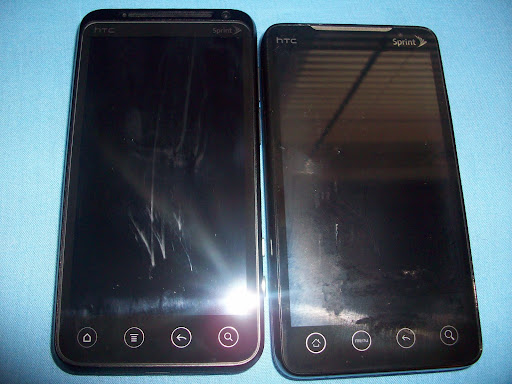
What's up?!!! It's been a minute, I know. I'm back though, by popular demand. I've been really busy with work, preparing for my wedding, life and debating if I wanted to continue with the blog. But as more and more people have been asking about the blog I realized more people were checking out my post than I thought and that maybe it was time to start back up! Not to mention there have been soo many changes in the tech world. I got the new EVO LTE and didn't even do a post or video review which is unheard of since I've done every EVO since the OG dropped and actually launched BHT!

All the recent tech news is just too much for me to resist commenting on lol. So new post are on the way. I'd like to thank all of you who have read my posts and watched my videos in the past it means alot to me! I'd also like to ask you all a favor. Many of you have commented on my posts in the past, but typically you comment on whatever social media site you see me post the links to the blog on. It would help me TREMENDOUSLY if you could post comments here on BHT. This keeps all the discussion in one place and lets readers who get updates through different methods to converse with each other in one spot. I'd love to see convos started right here on the blog. I'll also be honest in that it helps me to generate more traffic here on the site!

Again thanks for all that have read, commented and given me words of encouragement on/regarding Brown Hands Tech!


Baca Selengkapnya ....

Lima Kekurangan Iphone 5

Posted by Unknown Selasa, 18 September 2012 0 komentar
mashable.com
IPHONE 5 sudah lama dinantikan kehadirannya oleh para penggemar produk Apple.

Meski sejumlah fitur dan spesifikasinya, seperti sistem operasi dan prosesornya, sudah diperbarui, ternyata penerus Iphone 4S itu masih memiliki kekurangan. Ingin tahu apa saja? Ini jawabannya.


1. Tampilan antarmuka baru

Setiap sistem operasi memiliki keunggulan tersendiri. Windows Phone dengan tampilan ubinnya, lalu Android yang mirip dengan Ios tapi menambahkan fitur widget. Iphone 5 bisa saja memikat jika memiliki tampilan antar muka yang benar-benar baru.


2. Isi ulang baterai dengan wi-fi

Tidak seperti Nokia Lumia 920 dan 820, Iphone 5 belum memiliki fitur isi ulang baterai melalui wi-fi. Jika tidak di tahun ini, mungkin pada tahun depan atau tahun-tahun mendatang.


3. Siri

Siri memang menarik. Tapi lebih hebat jika kemampuannya bisa lebih dari itu. Misalkan saja Iphone bisa membangunkan penggunanya lalu secara otomatis memberi tahu berita di pagi hari, info ramalan cuaca atau membuka email tanpa diperintah.


4. Fitur gerakan
 
Fitur pengenal wajah sebenarnya sudah dipatenkan oleh Apple. Tapi jika hanya punya kemampuan untuk membuka kunci layar, kesannya biasa saja.

Andai Iphone bisa melakukan lebih dari itu, seperti memutar musik dengan cara melambai atau membalikkan halaman koran digital Media Indonesia dengan cara menggerakkan tangan.


5. Pelindung

Iphone 4 dan 4S memiliki lapisan kaca sebagai pelindungnya. Tapi ternyata banyak yang menginginkan jika Iphone terbaru benar-benar tahan banting.


Semoga Tim Cook bisa mempertimbangkannya lagi jika ingin mengeluarkan Iphone baru. (Wired/*/OL-13)


Sumber : http://www.mediaindonesia.com / Kumpulan Informasi Menarik / Foto : Iphone5

Baca Selengkapnya ....

Beranikah Samsung Tuntut Fitur LTE di iPhone 5?

Posted by Unknown 0 komentar
Keberadaan fitur konektivitas LTE di iPhone 5, tampaknya bakal menjadi salah satu sasaran tembak oleh sang rival utama Apple, siapa lagi kalau bukan Samsung.

Seperti diwartakan situs Mashable, disebutkan bahwa pasca kekalahan Samsung di pengadilan yang mengharuskannya untuk membayar ganti rugi sebesar 1,05 miliar USD itu, vendor smartphone asal Korea itu pun berjanji akan menuntut Apple jika merilis iPhone dengan kemampuan LTE.

Apple sendiri telah menegaskan bahwa iPhone 5 akan membawa konektivitas LTE untuk beberapa operator seperti AT&T, Verizon, Sprint, serta beberapa operator global lainnya.

Dengan pengumuman iPhone 5 yang besar-besaran itu, pihak Samsung tentu mengetahui tentang fitur konektivitas LTE yang kini hadir di smartphone generasi keenam Apple itu. Namun, apa langkah selanjutnya yang akan diambil Samsung terkait dengan isu tersebut belum diungkap lebih lanjut.

Sumber di situs Mashable yang memperoleh tanggapan dari Samsung via email, menyatakan bahwa vendor smartphone tersebut tidak akan mengomentari langkah berikutnya untuk saat ini. Jadi, beranikah Samsung menuntut fitur LTE di iPhone 5?


Sumber : tabloidpulsa.co.id / Kumpulan Informasi Menarik / Foto : iPhone 5
Tags : Techno, Gadget

Baca Selengkapnya ....

Low production yield rate of in-cell touch panel technology could hinder iPhone shipments.

Posted by Unknown Senin, 17 September 2012 0 komentar

WorldWide Tech & Science. Francisco De Jesùs.

Low production yield rate of  in-cell touch panel technology could hinder iPhone  shipments.

Following the launch of the iPhone 5, the in-cell touch panel technology adopted by the Apple smartphone has generated mixed views from market observers. Some observers say inc-cell touch panels still have a low production yield rate and may not be widely adopted by other vendors in the next 2-3 years, but others believe the technology has set a new standard for smartphones.

The iPhone 5's display panel is being produced by LG Display, Japan Display and Sharp. Enhanced specifications with the device's panel, which include allowing the phone to be lighter, thinner and maintain high resolution, reportedly have caused yield rate issues. Some observers have pointed out that issues with the panels could hinder iPhone shipments.

But some market analysts estimate that iPhone 5 sales will reach 40 million units in the fourth quarter of 2012.

Baca Selengkapnya ....

Mix Tape Break - Top Mixtapes of 2011 (for now)

Posted by Unknown Selasa, 19 Juli 2011 0 komentar
Well its been a while since we've taken a break from tech-related news for a mix-tape break. My homie Sterling is back again with his mixtape picks highlighting the top mixtapes of 2011 so far. Some of these are my favorites as well and a few are new to me too.  Hope you enjoy; download links attached (Click Mixtape name).....


.... You may have noticed many of these mixtapes can be found on Datpiff.com. Which makes this a great time to talk about one of my favorite music apps... Datpiff mobile app.  If you've never used it this is an app you definitely want to grab from the market. It lets you download or stream music right from the app. You can download or listen to an entire mixtape or individual songs right on your phone. I use it all the time to listen to new music and download mixtapes and songs I like. Check it out!


 Check out the Datpiff app in the Android Market here. I believe there is an iPhone version in the Apple AppStore too


Baca Selengkapnya ....

Swyper No Swyping: HTC + Swype = HTC Trace

Posted by Unknown Selasa, 28 Juni 2011 0 komentar

One of the nice new features many people may overlook on their shiny new Evo 3D's (or T-Mobile's HTC Sensation pictured above) allows users to get Swype-like functionality right on the stock HTC keyboard! I've never been the biggest fan of Swype, preferring HTC default keyboard; but now there is no need to choose (unless you are a die-hard Swype fan).  I'm not sure if Trace matches all the intricacies of Swype's functionality, but I've always felt that it could be useful in certain situations if integrated into HTC keyboard and apparently they thought the same and decided to swype the design from their competitors.  I'm curious to hear from die-hard Swypers; how does it measure up to Swype?


Baca Selengkapnya ....

Sprint's HTC EVO 3D

Posted by Unknown Minggu, 26 Juni 2011 0 komentar


The day has finally come and my Evo 3D is in hand and I must say I am thoroughly impressed thus far. I've only had a limited amount of time to play with it so here are my initial impressions so far:

The Actual Phone:


Picking the phone up it immediately feels better than the Evo 4G. Its a bit more narrow and a smidge longer but this redesign in shape makes it more comfortable to hold. The build quality seems better too. It just feels a bit more solid and the battery door (which wraps around the enitre phone) seems to fit more snug than its predescessor and feels like it is built better. The Evo 4G battery door felt flimsy and cheap in my opinion, whereas the Evo 3D's door is solid and has a nice textured design on the back which feels great and adds grip. I will say that the huge dual camera bay is going to take some getting used to; there really is no way to hold it with out having your hands all over the camera(s), aside from this however the phone feels great in hand! I have no complaints about the power button like I read in some other early reviews/previews. Weight seems to be very close to the original Evo and overall it feels a little better in my pocket (most likely due to it being slimmer).


Camera:

So far I'm really impressed with the new camera's 2D functionality. The E3D uses the top camera when taking pics in 2D and despite it being 5MP instead of 8MP like the OG Evo the pics are better! This is due to improved camera sensors and camera software. Pics are taken much faster when the shutter button is pushed and the camera app itself can be launched much faster. The actual physical shutter button (another reason for my upgrade) is amazing! It feels great (very solid build quality) and has the ability to be pressed halfway to focus and then fully to take the shot, like a real camera shutter button.  It definitely makes taking photos easier and more enjoyable. The on screen camera button on the original Evo made it difficult to snap pics and hold the phone sometimes, especially since the display is so large.  If you use your Evo as your main camera like me you will LOVE the new shutter button! There have also been some enhancements to the on-screen user interface that really streamline the navigation of camera functions. 

Screen:
The Evo 3D upgrades the display form the Evo 4G's TFT display with 800 x 480 resolution to a 4.3" 960 x 540 resolution display and it is immediately noticeable.  The E3D's screen is more crisp, colors seem more natural and because of the increased resolution it can fit more onto the screen. So for example, when looking at a list such as contacts you can see more on the screen (10 contacts versus 7) which means less scrolling is required.  The screen is really impressive and is one of the main reasons I wanted to upgrade; it really keeps the E3D on par with other next-gen super-phones.

3D:
When the Evo 3D was announced the 3D feature initially was a turn off for me and almost made me skip this phone. After seeing the other specs I knew I couldn't pass it up, but 3D was still not a deciding factor for me. I honestly feel like 3D in general is a bit of a gimmick. With that out of the way, I'm actually impressed by the 3D functions on the Evo 3D... I'm not sure if that will wear off over time or not but it's something I think I'd rather have than not, especially since it can easily be cut off.

The 3D is kinda weird to look at, and everyone has a different reaction. Some say it hurts their eyes, it doesn't bother mine but it is a little trippy.  You have to be looking at the screen at just the right angle and it sort of pops into focus! The Evo 3D comes with a demo for a Spiderman 3D game, Green Hornet in 3D and some sample pics that all look and play great! They really do an excellent job of showcasing the E3D's 3D capabilities.  I also watched some YouTube videos in 3D that where really impressive. I am actually looking forward to utilizing the 3D capabilities of the phone. Now if Netflix would just get some 3D movies...

Edit: I got a chance to take some more 3D movies and pics and... WOW!!! I am very impressed this is something I definitely can see myself using more!

HTC Sense 3.0:


I'm a fan of Sense and despite some of its short comings I tend to prefer it over other alternate launchers available in the market; Sense 3.0 makes this even more true! I feel that HTC does a great job of offering extended functionality and allowing customization that is easy to use and doesn't require rooting or advanced tweaking. It adds nice cosmetic improvements like 3D-ish transitions between screens and nice new weather effects.  HTC Hub lets you download themes, widgets, apps, various ringtones and notifications, wallpapers and skins to customize your phone; even down to details as small as the highlights when you make selections on your phone (which is something you typically need to root and or do advance tweaking to do). The lock screen is amazing with new animated lock screens such as weather or floating pics from your albums and customization quick launch options for up to four apps! There are a lot of small tweaks that really make it an even more enjoyable experience; like the ability to quickly access important settings and recently used apps from the notification bar. Another nice tweak that must be turned on in settings is the ability to activate Swype-like features right in the stock HTC keyboard. I haven't tried this much yet, but I think it is a feature that I will really enjoy. I always thought Swype could be useful if I could easily switch between it and my stock HTC keyboard and now I don't have to its built right in!


I haven't had much time to test the battery life yet, but so far it seems to be really good.  I have to test it more to make a final decision. Also I'm still on the fence about the updates that have been pushed out to "fix" some minor bugs; some are saying that it significantly improves their battery life, but others are saying that it causes new issues, so I have not updated mine yet.... But so far I'm very impressed and think this will be an excellent device and it is easily a worthy upgrade from the original Evo 4G... Check out the videos and pics before and I'll continue to play with the phone and post my impressions.


Screen shots borrowed from Geekfor.me


Baca Selengkapnya ....
Trik SEO Terbaru support Online Shop Baju Wanita - Original design by Bamz | Copyright of android vs apple.